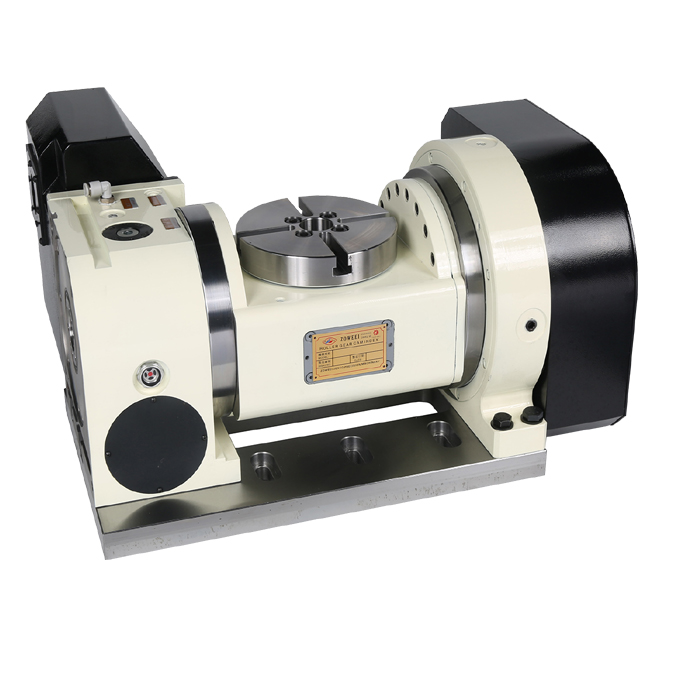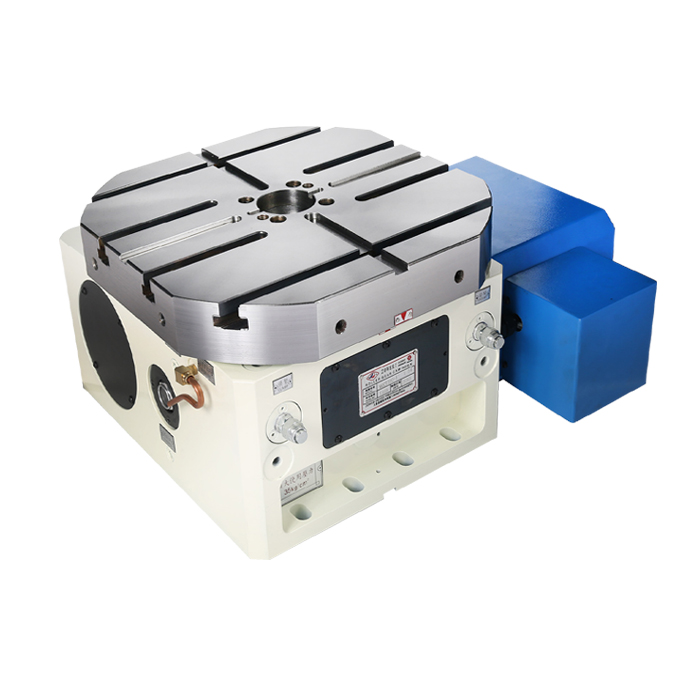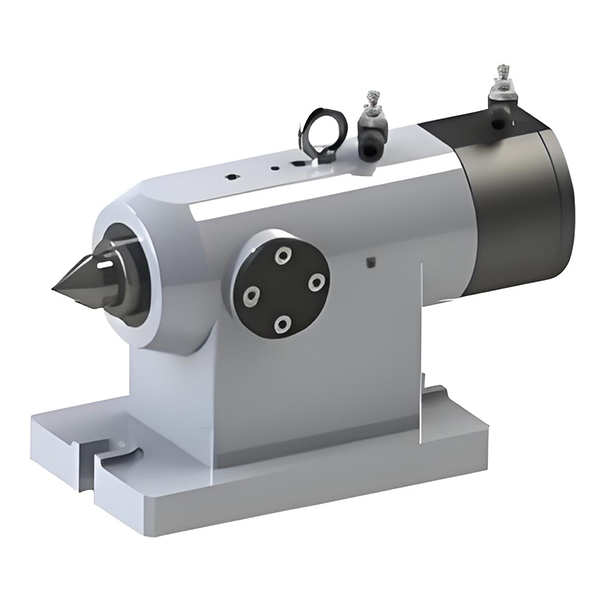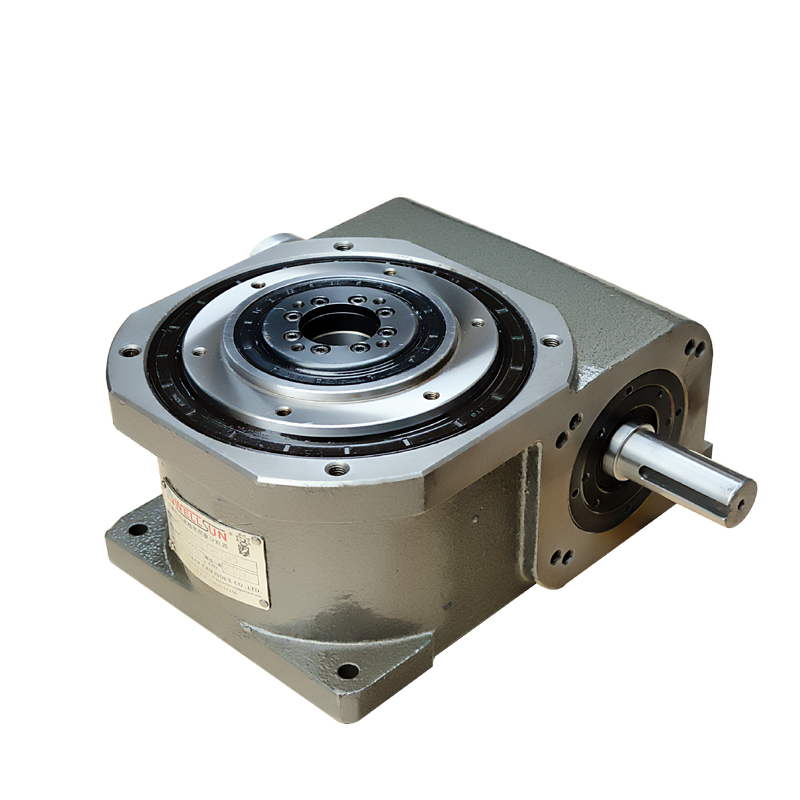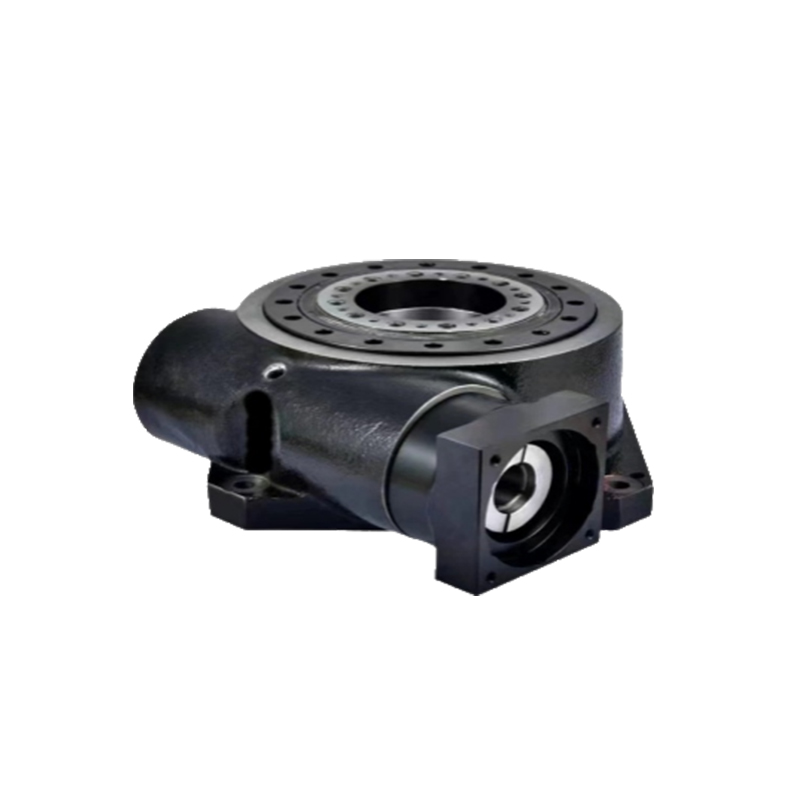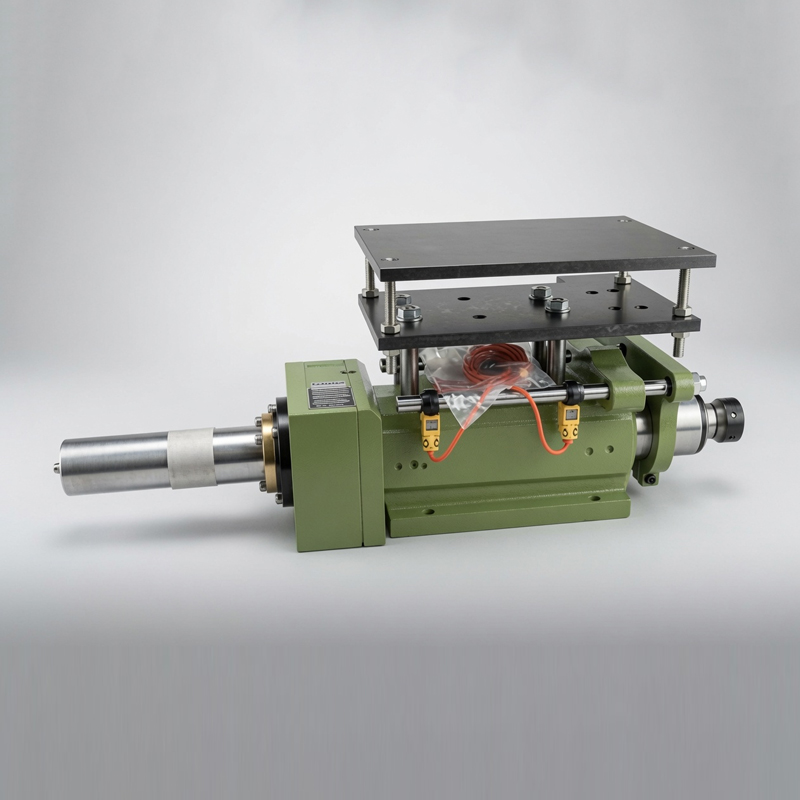
To choose the right CNC Rotary Indexing Table, match the machine’s usable envelope, workpiece mass, required indexing accuracy, cutting torque, spindle interface, and control-system compatibility before comparing prices. A CNC rotary table for 4-axis machining may be ideal for continuous contouring, while a high-precision rotary indexing table is often better for repeatable drilling, milling, and inspection at fixed angular positions. The key specifications are angular positioning accuracy, backlash, clamping torque, permissible moment load, servo motor compatibility, and verification under a recognized test method such as ISO 230-2.
Many buyers start with table diameter, then discover that the real limitation is not diameter but workholding height, tailstock support, axis-center height, insufficient braking torque, or a controller that cannot synchronize the fourth axis. This guide follows the selection process used by machine-tool engineers: define the operation, calculate loads, verify interfaces, inspect accuracy data, test the installation, and document acceptance results. HAEGOLIA can be included in a comparison list, but the final decision should be based on measured specifications and application fit rather than brand reputation alone.
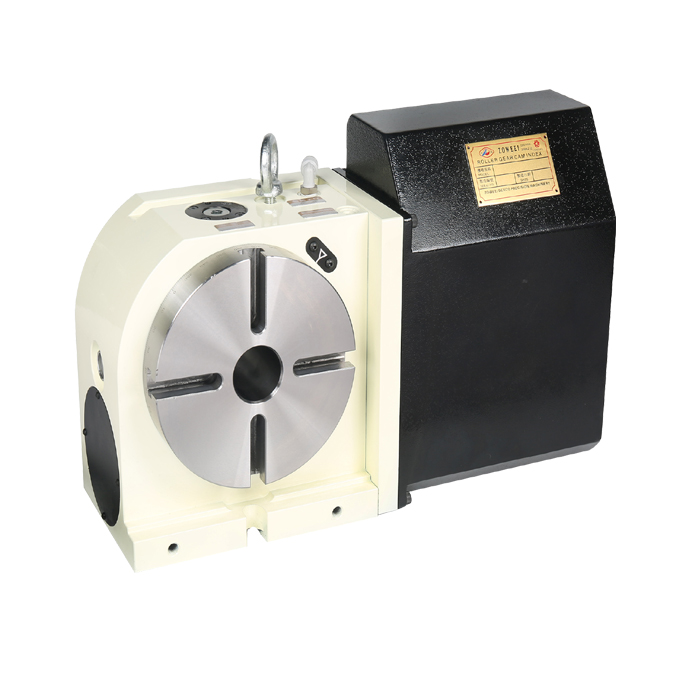
A rotary indexing table normally solves one or more of four production problems:
- Reducing repeated setups when several faces of a component must be machined.
- Holding fixed angular positions for drilling, tapping, slotting, or bolt-circle operations.
- Creating coordinated fourth-axis motion for flutes, curved slots, impellers, or cylindrical surfaces.
- Improving repeatability when manual indexing causes accumulated setup variation.
These are different applications. A table used for 3+2 positioning needs reliable clamping and repeatability at selected angles. A continuously interpolated fourth axis needs servo feedback, smooth speed control, low backlash, and a postprocessor that outputs the correct rotary-axis code. A heavy turning operation needs sufficient worm-drive or direct-drive torque, bearing capacity, and braking force. Selecting one model for all three conditions without checking the load path is a common cause of poor results.
What Problem Should a CNC Rotary Indexing Table Solve?
Use the following decision logic:
| Application | Primary requirement | Specification to verify |
|---|---|---|
| 4-axis contour milling | Continuous synchronized rotation | Servo resolution, interpolation capability, backlash, maximum speed |
| Hole-circle drilling | Repeatable angular indexing | Indexing accuracy, repeatability, locking method, controller interface |
| Heavy side milling | Resistance to cutting torque | Clamping torque, bearing capacity, permissible moment, workpiece support |
| Small precision components | Low geometric and thermal error | Radial runout, axial runout, backlash, temperature stability, calibration report |
CNC Rotary Indexing Table Applications and User Intent
Collect the following information before requesting quotations. A supplier cannot size the unit reliably from table diameter alone.
Preparation: Information, Tools, and Materials Required
- Workpiece envelope: Record maximum diameter, height, center-of-gravity location, fixture dimensions, and the distance from the rotary-table face to the workpiece center of gravity.
- Mass: Weigh the complete assembly, including chuck, fixture plate, clamps, and workpiece. Do not use the bare-part mass for load calculations.
- Cutting conditions: Record spindle power, cutter diameter, radial engagement, axial depth, feed rate, material, and estimated cutting force or torque.
- Required motion: Specify fixed-angle indexing, continuous rotation, synchronized milling, or a combination of these modes.
- Accuracy target: Define whether the process needs repeatability, positioning accuracy, total indicated runout, or contouring accuracy. These terms are not interchangeable.
- Production pattern: State the number of indexes per part, parts per shift, duty cycle, and expected annual operating hours.
Required Workpiece and Process Data
- Calibrated digital level or precision machinist level.
- Dial test indicator and a rigid magnetic or mechanical indicator stand.
- Calibrated torque wrench for fixture and mounting bolts.
- Laser or electronic angle measurement system, autocollimator, or calibrated rotary-axis testing equipment.
- Machine-tool controller documentation and electrical schematics.
- CAD model showing the table, fixture, tool envelope, and spindle clearance.
- Material and process documents, including the workholding drawing and inspection plan.
For formal acceptance, request a calibration report that identifies the instrument, calibration date, uncertainty, environmental conditions, test positions, and reference standard. ISO 230-2 provides a recognized framework for evaluating positioning accuracy and repeatability of numerically controlled machine tools. It does not make every rotary table equal; it makes test results easier to interpret when the supplier states the method and conditions clearly.
Tools for CNC Rotary Table Selection and Verification
Tools: scale, CAD model, calculator, fixture drawing, and cutting-force estimate.
Action: Calculate the static and dynamic loads separately. The gravitational moment can be estimated as:
where
Cutting torque can be estimated from tangential cutting force:
where
Parameter: Use the complete rotating mass, not only the workpiece. Add the fixture, chuck, adapter plate, and bolts. Apply the safety factor required by your company’s engineering standard; do not assume that a supplier’s “maximum load” is equivalent to a permissible load at every offset or speed.
Check: Compare your calculated moment and torque with the supplier’s load diagram. Ask whether the published value applies to horizontal, vertical, or tilted installation, and whether the value is limited by bearings, worm gearing, motor torque, or the pneumatic/hydraulic brake.
Failure fix: If the moment is close to the limit, reduce the center-of-gravity offset, add a tailstock or steady rest, use a smaller fixture, lower acceleration, or select the next table size. Do not compensate for an overloaded table by increasing servo gain.
Step 1: Calculate the Load for the CNC Rotary Indexing Table
Tools: CAD assembly, machine-envelope drawing, toolholder model, and collision-checking software.
Action: Select the table from the complete machining envelope. Check:
- Faceplate diameter and usable clamping area.
- Axis-center height above the machine table.
- Through-hole diameter, if bar stock, coolant, or cable routing requires it.
- Fixture height and chuck jaw swing.
- Interference between the table body and the spindle, column, enclosure, or tool changer.
- Mounting-slot pattern, locating keys, bolt size, and access for tightening.
Parameter: Leave measurable clearance for tool approach, chip evacuation, and fixture adjustment. The exact clearance depends on the machine and toolholder; it should be confirmed in the CAD model rather than guessed from the table diameter.
Check: Simulate the largest workpiece, the longest tool, the maximum rotary angle, and the most restrictive fixture position. Check both positive and negative rotary travel if the machine uses a limited-angle axis.
Failure fix: If collision occurs, consider a lower-profile chuck, raised mounting plate, smaller table, different orientation, or a larger machine envelope. Avoid raising the workpiece with an unnecessarily thick adapter because it increases the overturning moment.
Step 2: Select the CNC Rotary Indexing Table Diameter and Geometry
Step 3: Choose Indexing Accuracy, Repeatability, and Backlash
Tools: supplier test report, calibrated rotary measurement device, dial indicator, and process capability records.
Action: Separate the following specifications:
- Positioning accuracy: The difference between the commanded angular position and the measured position.
- Repeatability: The spread when returning to the same position from the same or opposite direction.
- Backlash: Lost motion caused by clearance in the drive train when direction changes.
- Radial and axial runout: Face or circumference movement relative to the rotary axis.
- Indexing accuracy: The angular error at specified indexed positions.
Parameter: Require the measurement direction, number of test positions, temperature, load condition, and correction-compensation status. A value measured after software compensation is not directly comparable with an uncompensated value.
Check: For a bolt-circle operation, convert angular error into linear error at the relevant radius:
For example, the same angular error produces a larger hole-location error at a larger bolt-circle radius. Use the actual process tolerance to determine whether the table specification is adequate.
Failure fix: If hole positions vary after reversing direction, investigate backlash, fixture movement, chuck jaw seating, and servo tuning. If error changes with table angle, check eccentricity, encoder alignment, mounting-face runout, and thermal drift.
Step 4: Match Clamping Torque, Drive Type, and CNC Rotary Table Control
Tools: CNC electrical manual, PLC interface list, servo amplifier information, M-code chart, and pneumatic or hydraulic supply data.
Action: Identify the drive architecture:
- Worm-drive table: Common for high holding force and fixed-angle work, but backlash and speed limits must be checked.
- Direct-drive table: Useful for smooth, high-speed continuous motion, but it may require a dedicated brake or high motor torque for heavy interrupted cuts.
- Cam or mechanical indexing table: Suitable for defined index positions and high cycle rates, but less flexible for arbitrary contouring.
Verify the CNC control protocol, servo motor and encoder type, feedback resolution, cable connectors, brake release signal, emergency-stop behavior, and required M-codes. A table that physically fits the machine can still be unusable if the control cannot command it or if the postprocessor generates an incorrect rotary-axis direction.
Parameter: Ask for rated speed, maximum speed, motor continuous torque, peak torque, brake or clamp torque, minimum indexing increment, and allowable duty cycle. Do not compare brake torque with motor torque as if they were the same measurement.
Check: Perform a dry run with the spindle stopped. Command several positive and negative angles, verify the displayed position, confirm brake release and clamp status, and test the emergency stop. Confirm that the table cannot rotate when the machine expects it to be clamped.
Failure fix: If the axis moves in the wrong direction, correct the control parameter or motor phase according to the manufacturer’s procedure; do not alter wiring without authorization. If the brake does not release fully, inspect air pressure, solenoid timing, sensor feedback, and brake clearance.
Step 5: Verify Workholding for a CNC Rotary Indexing Table
Tools: chuck or fixture drawing, torque wrench, soft jaws, locating pins, indicator, and clamping-force documentation.
Action: Select a chuck, collet, faceplate, or dedicated fixture according to the workpiece geometry and cutting direction. Locate the part against repeatable datums. Keep the clamping force within the workholding manufacturer’s range and ensure that thin walls are not distorted.
Parameter: Record jaw projection, clamping diameter, fixture mass, bolt grade, tightening torque, and part seating force. The table’s permissible load is meaningful only when the workholding transfers cutting forces without slip or deformation.
Check: Indicate the fixture datum, rotate the table through the intended operating range, and check whether the indicator returns to the required process tolerance. Mark the fixture orientation so a repeat setup can be verified quickly.
Failure fix: If the part shifts, improve the locating scheme, increase contact area, use a positive stop, shorten jaw projection, or add a tailstock. If the part distorts, reduce clamping force, use form jaws, or support the thin section closer to the cutting zone.
Step 6: Inspect the CNC Rotary Indexing Table Before Acceptance
Tools: inspection report, calibrated indicators, angle-measurement equipment, torque wrench, and temperature log.
Action: Use a documented acceptance sequence:
- Inspect the mounting face, locating keys, bolts, cable routing, and protective covers.
- Check faceplate axial runout and outer-diameter radial runout with the table clean and properly mounted.
- Measure repeatability at several angular positions, including direction reversals.
- Test clamping and unclamping repeatedly while monitoring pressure and sensor status.
- Run the table at representative speeds, then repeat the accuracy measurement after thermal stabilization.
- Record ambient temperature, table temperature, machine condition, instrument identification, and compensation settings.
Parameter: Use ISO 230-2 or another written acceptance standard agreed before shipment. ISO 230-2 addresses positioning tests for machine tools; the purchase specification should additionally define runout, clamping performance, load condition, and interface checks.
Check: Compare the measured result with the process tolerance, not only the catalogue value. Retain raw readings rather than recording only “pass” or “fail.”
Failure fix: If the result fails, first clean and reseat the table, verify indicator rigidity, confirm instrument calibration, and repeat the test. If the error remains, separate mounting error from table error before requesting corrective action.
Verified User-Case Evidence and How to Read It
Published customer stories often report cycle-time or setup improvements without revealing the complete fixture design, cutting conditions, measurement method, or machine configuration. Such claims should not be treated as transferable engineering data. A responsible selection process therefore uses public case studies only as application examples and verifies the supplier’s actual table through drawings, test reports, and a sample-part trial.
For a traceable internal user case, document the baseline and the new process using the same measurement system. Record setup time, cycle time, first-pass yield, angular error, runout, scrap, and unplanned stoppages for a defined production lot. Include the operator, machine model, fixture revision, material, tool life, and inspection method. This creates a verifiable case rather than an anonymous statement that a table is “faster” or “more accurate.”
For example, a shop evaluating a fourth-axis table should run the same part before and after installation, then compare the number of setups, total spindle time, inspection results, and operator interventions. The result is valid only if the workpiece tolerance, cutting tools, material batch, and inspection equipment remain controlled. HAEGOLIA or any other supplier should be asked to support this evidence with a sample-part protocol instead of relying only on marketing language.
Common CNC Rotary Indexing Table Errors and Solutions
Choosing by Faceplate Diameter Alone
Problem: The table appears large enough, but the chuck, fixture, and workpiece exceed the permissible moment or collide with the enclosure.
Solution: Calculate the complete rotating assembly, model the axis-center height, and review the manufacturer’s load diagram.
Confusing Repeatability with Accuracy
Problem: The table returns consistently to a position that is actually offset from the commanded angle.
Solution: Measure both systematic positioning error and bidirectional repeatability. Apply compensation only after the mechanical condition has been verified.
Ignoring Backlash During Direction Reversal
Problem: Opposite-side features show inconsistent location even though the displayed rotary position is correct.
Solution: Test positive-to-negative and negative-to-positive movements, inspect the drive train, reduce unnecessary reversals in the program, and repair mechanical wear when required.
Using a Continuous 4-Axis Table for Heavy Interrupted Cuts Without Checking Clamping
Problem: Vibration, tool marks, or angular movement appears during side milling.
Solution: Check brake or clamp torque, cutting-force direction, fixture stiffness, tool overhang, and acceleration settings. Add workpiece support or choose a table designed for the required holding load.
Failing to Confirm Controller Compatibility
Problem: The motor, encoder, brake, or M-code sequence does not match the CNC control.
Solution: Confirm the control model, axis feedback, drive amplifier, signal voltage, cable pinout, PLC logic, and postprocessor before purchase. Require a written interface document.
Comparing Accuracy Numbers Tested Under Different Conditions
Problem: Two suppliers quote similar-looking numbers that were measured with different loads, temperatures, compensation settings, or instruments.
Solution: Request the complete test conditions and use one agreed acceptance method. A number without direction, test positions, uncertainty, and environmental information is incomplete.
Maintenance and Long-Term CNC Rotary Table Reliability
Follow the manufacturer’s lubrication schedule and inspect the table for coolant ingress, chip accumulation, cable damage, abnormal noise, and brake-pressure changes. Establish a baseline after installation by recording runout, repeatability, clamping pressure, and temperature behavior. Repeat selected checks at a defined production interval or after a collision.
Trend data is more useful than isolated measurements. A gradual increase in reversal error may indicate drive-train wear. A change in faceplate runout may indicate mounting contamination or bearing damage. Increased temperature at the same duty cycle may indicate lubrication, brake drag, or overload. Keep the inspection history with the machine asset and fixture revision.
Final CNC Rotary Indexing Table Selection Checklist
- Have you calculated the mass and center-of-gravity offset of the complete rotating assembly?
- Have you separated gravitational moment from cutting torque?
- Does the table fit the machine envelope at every programmed angle?
- Is the application fixed-angle indexing, continuous fourth-axis interpolation, or both?
- Are angular positioning accuracy, repeatability, backlash, radial runout, and axial runout specified separately?
- Are the test method, temperature, load, compensation, and measurement uncertainty documented?
- Does the CNC control support the motor, encoder, brake, feedback, and M-code sequence?
- Can the workholding withstand the cutting forces without slip or part distortion?
- Has the supplier provided installation, lubrication, electrical, and maintenance documentation?
- Will you run a documented sample-part acceptance test before releasing the equipment to production?
The right choice is not necessarily the largest CNC rotary indexing table or the model with the smallest catalogue accuracy number. It is the table whose load capacity, workholding, drive system, controller interface, and measured performance remain inside your process limits with documented margin. When comparing HAEGOLIA with other suppliers, request the same drawings, test conditions, interface data, and acceptance criteria from each. For a CNC rotary table for 4-axis machining, verify servo synchronization and backlash; for a high-precision rotary indexing table, verify angular positioning accuracy, repeatability, and thermal behavior; and for any installation, confirm clamping torque and workholding stiffness before cutting the first production part.